Run node for Starknet
Run node STARKNET
Source From node Guru. When they update their code the old instruction will be removed. So I re-posted it here for latter uses.
1. Installing
If you don’t already have an Alchemy account, follow step 2. Endpoints, then go to the next step.
Replace YOUR_ALCHEMY_HTTP_ADDRESS with your alchemy address.
ALCHEMY=YOUR_ALCHEMY_HTTP_ADDRESS
echo 'export ALCHEMY='$ALCHEMY >> $HOME/.bash_profile
Example, do not copy!
ALCHEMY=https://eth-goerli.alchemyapi.io/v2/Ey8Guru7zpg3EfUcLm8iR4FTxPAvqMS
echo 'export ALCHEMY='$ALCHEMY >> $HOME/.bash_profile

Use our script for a quick installation:
wget -O starknet.sh https://api.nodes.guru/starknet.sh && chmod +x starknet.sh && ./starknet.sh
2. Endpoints
To run starknet we will use the nodes provided by the Alchemy service, so register at alchemy.com and create endpoints in your personal account.

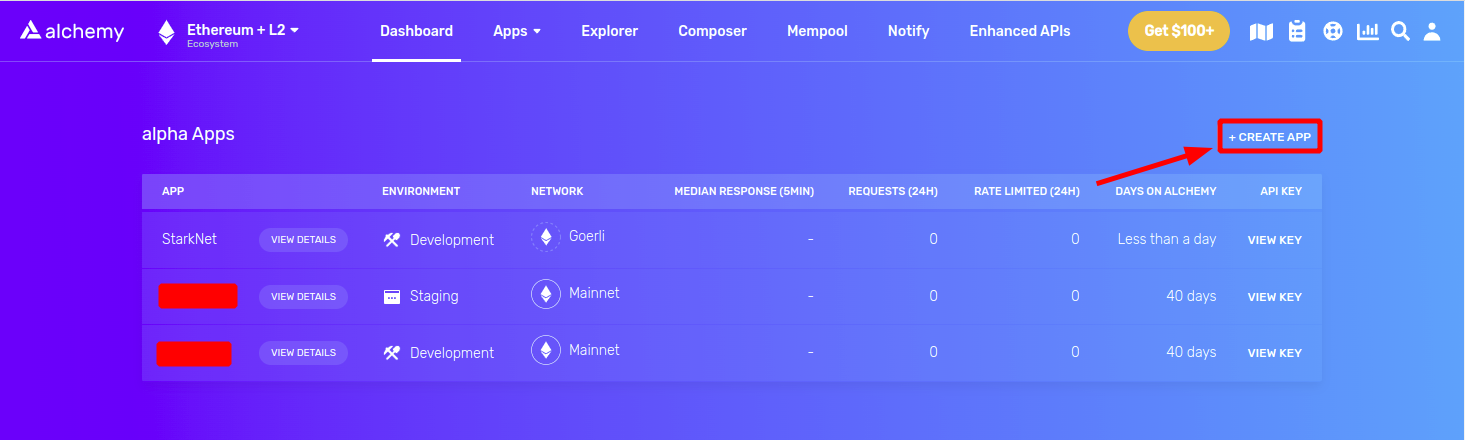
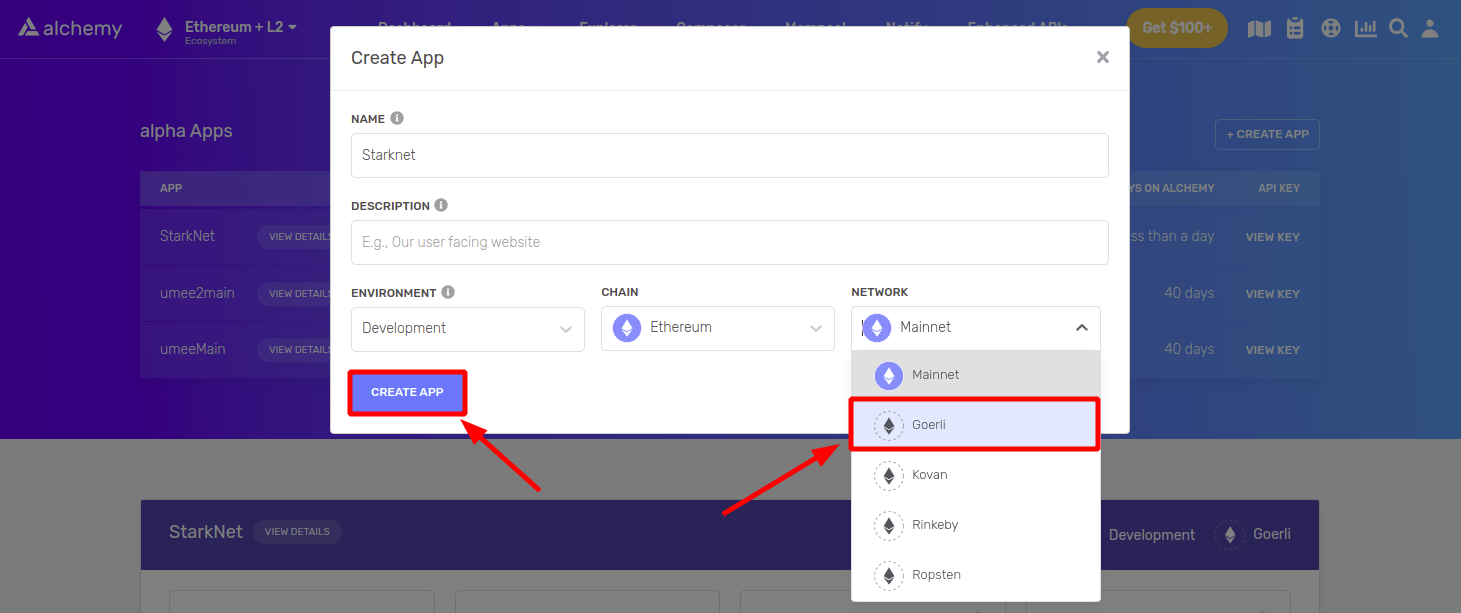
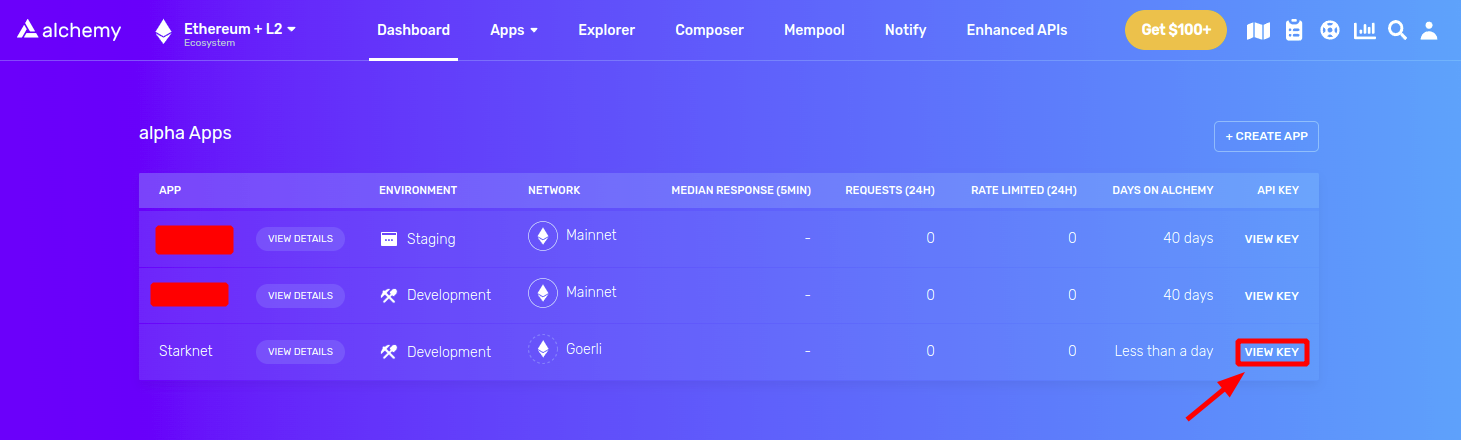
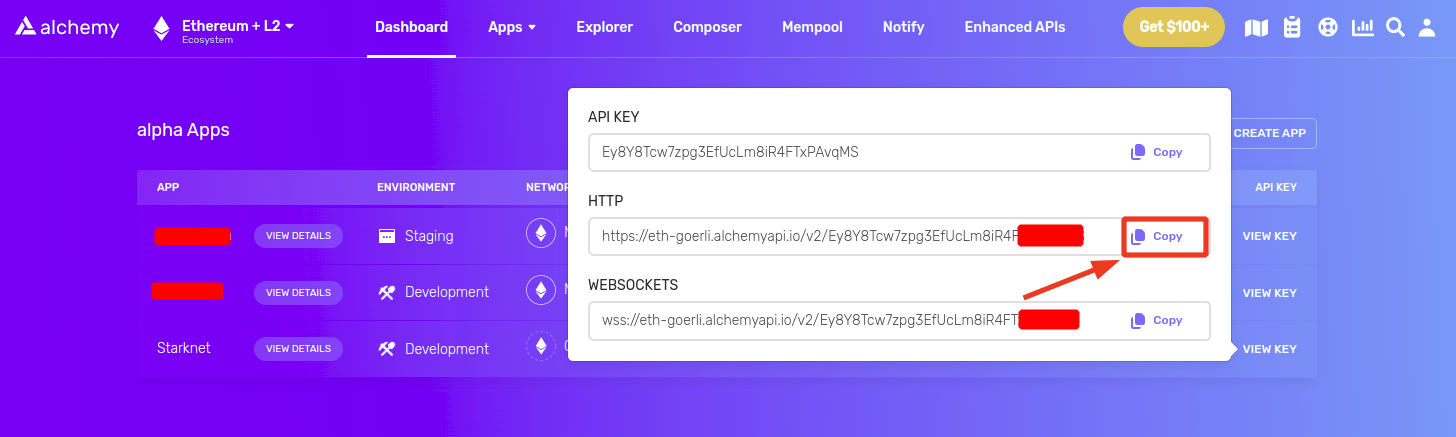
Copy the address and go to step 1. Installing
Additional
Check logs:
journalctl -u starknetd -f
Restart node:
systemctl restart starknetd
Delete node:
systemctl stop starknetd
systemctl disable starknetd
rm -rf ~/pathfinder/
rm -rf /etc/systemd/system/starknetd.service
rm -rf /usr/local/bin/pathfinder


Nhận xét
Đăng nhận xét